This App Might Be The Most Important Off-Road Tool You Can Buy
The detail available with OnX maps makes it a must-have when going deep into the backcountry.

The single most important thing about going off-road isn’t having the biggest tires, the best lockers, or even a basic four-wheel-drive system (though, I grant, that it is pretty critical). It’s actually the most basic thing possible: navigation.
Knowing where you are and where you need to go is the basis for getting off the beaten path. Off-road maps used to be dedicated pieces of hardware, like an old standalone GPS or a paper map. Now, however, there’s a solution in an app called OnX Offroad.
Seasoned off-roaders will be familiar, but OnX is a mapping app built explicitly for trail maps and everything that comes with off-roading. While Google or Apple Maps is built to keep you on the road and on the fastest routes, OnX is built to keep you on the right trail, give you information about the trails you may want to take, and keep you informed about the land you’re trekking on.

OnX wanted me to try their maps badly enough that they flew me to Moab, Utah, to experience the Easter Jeep Safari. We wouldn’t be Jeeping, but instead piloting a small fleet of Ford Broncos. There’s a good reason for this: OnX is providing 1 year of Elite membership to all 2017 and newer Ford owners for all four of its apps, not just OnX Offroad. There’s also a hunting app, a backcountry hiking app, and a fishing app—but Offroad is built for, well, the off-roader.
Moab, Utah, is one of America’s prime destinations for off-roading and offers trails of every difficulty level. Sure, you can scrabble up the slick rocks of Hell’s Revenge or simply drive around the incredible canyons and mesas that so beautifully stratify the landscape.
No matter, however, you need to know where you’re going when exploring any part of the trail. Either to respect and preserve the landscape, or for your personal safety. More often than not, the backcountry is a patchwork of land ownership and seemingly uncharted trails. This is especially important if you’re looking to camp on the trail. Then, you need to see whether the trail difficulty matches your machine.
On(X) The Trail
Saddling up into our Broncos, we plotted a route using one of OnX Offroad’s more handy features: A route builder. Within the app, you can choose precise, preset points to follow along on the map. If there’s a mapped trail, it will automatically route you through it, or you can draw your own path. Useful details like elevation and difficulty are automatically displayed, and you can survey your proposed route before ever running it.
If you tap on individual trails or points of interest, OnX will also pull up plenty of details. There’s a technical rating out of 10, overall distance, the kind of route (loop, point-to-point, etc.), best seasons, general conditions, and permitted types of vehicles. OnX Elite also includes ownership data, showing land ownership boundaries and who owns or manages the land.
This is important because, for example, Bureau of Land Management lands and National Forest areas have entirely different rules for off-trail use, hunting, shooting, and even camping. Combined with nice, topographically accurate 3D maps, it’s all pretty slick-looking. And, according to OnX, all trail data and ratings are backed up by local guides that regularly scout the area.
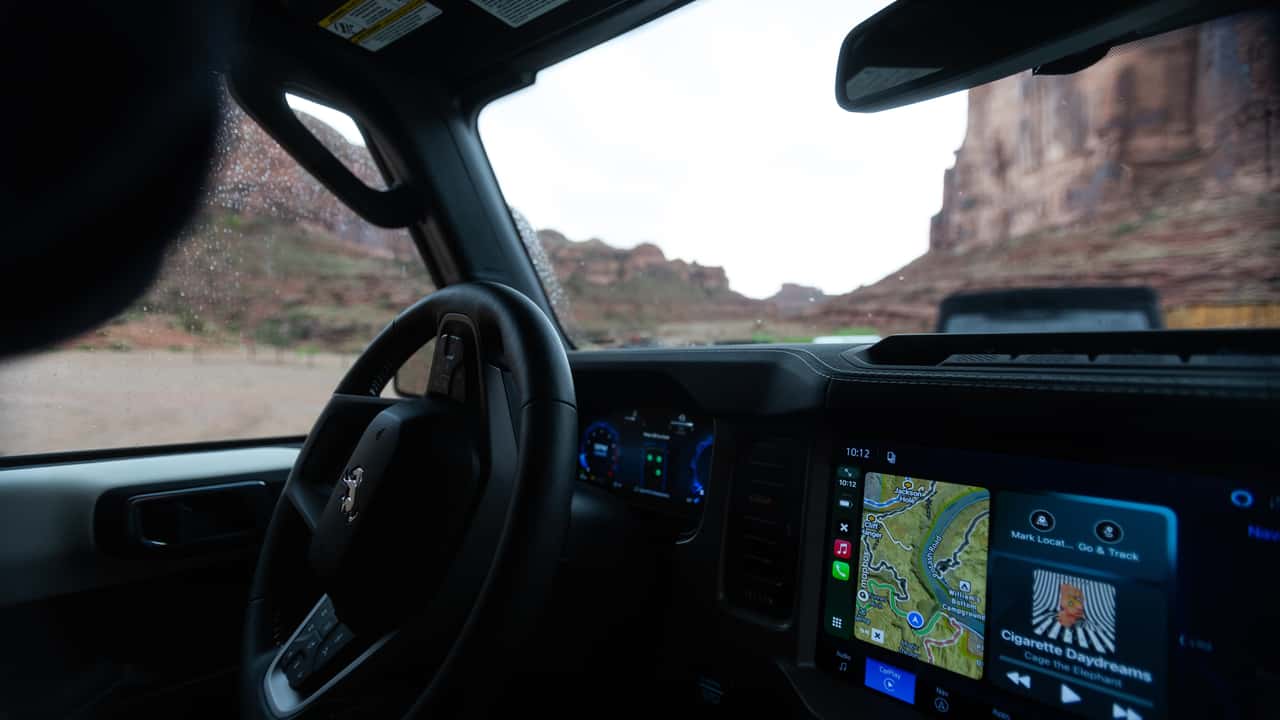
Our route took us through the high mesas west of Moab, which proved to be gorgeous. To be frank, our route was easygoing, and our Broncos were never going to have trouble with it, but it was nice to have a detailed map that displays natively in CarPlay.
Best of all, OnX has a robust offline map feature, which neither Apple nor Google executes well. Within OnX, you can pick a high-quality 8-by-11-mile map square or a lower-quality 105-by-147-mile map to download and adjust anywhere in between. Where Google fusses with loading offline maps, you can manually load offline maps.
Most of our route had no cell reception, so this proved incredibly useful and reliable. It not only downloads the maps but also the same level of detail you normally see in the app, making for a seamless experience. Most of all, it was just neat to have such a dedicated tool in the Bronco's dashboard for referencing trails.
Off-Roading Necessity
OnX worked so well that I continued using it weeks later when I went off-roading in northern Arizona in a convoy of Nissans. I found it even more useful there; land ownership was something to be wary of. It paid even more dividends as I off-roaded in the desert north of Los Angeles in a Ram 2500, which has even more of a patchwork of private owners.
My only complaint is that OnX Offroad seems intensive on my phone when using it on CarPlay. On my iPhone 16 Pro Max, it always ran a little warmer than I expected, and on hotter days with my phone in the sun, it sometimes started running a little choppy. While I can accuse every other mapping software of the same thing, they tend to run a bit more stably.
But for $15 a month, or $100 a year, OnX Offroad is a must-have tool for off-road enthusiasts. If you’re on the trail constantly, it’s worth the money. If you’re less of a regular on the trail, there’s a cheaper $35/year subscription that has most functionalities like mapping, trail info, custom waypoints, and offline maps. You lose the neat land ownership feature and deeper camping info.
Still, OnX is extremely user-friendly and extremely useful for the hobbyist. And what does safety on the trail really cost you?
More Off-Road Reviews
RECOMMENDED FOR YOU
Man Buys Ford Bronco. Then The Dealership Refuses To Fix Huge Scratch After Saying They'd Take Care Of It: 'CANCEL THAT CONTRACT!'
Man Locks Keys In His Convertible. So He Takes Drastic Measures To Get In: ‘Breaking Glass Was Cheaper'
This New Ford Bronco Visual Package Goes Heavy On Magenta
What That Little Arrow Next To The Fuel Gauge Actually Means
Ford Recalls 566,000 Broncos For Engine Compartment Fires
Porsche's Latest One-Off Is A Fair Dinkum Aussie Tribute
The Ford Fathom Is The Blue Oval's New Electric Truck. Here's Everything We Know