Home
Hyundai
News
'So Useless:' Hyundai Tucson Hybrid Drivers Say the Wireless Charging Pad Overheats, Charges Slowly. What Can You Do?
"I like the location of the charging pad."
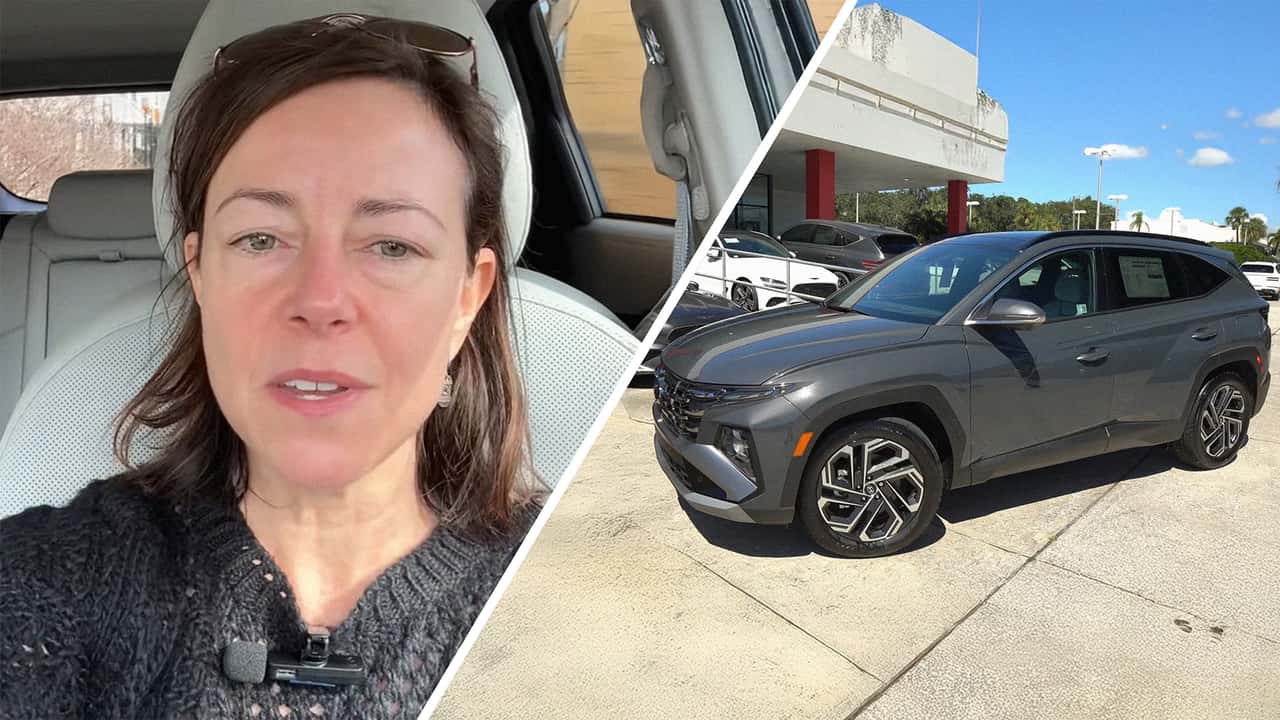
Photo by: @jillciminillo & Raiti's Rides
Chad Swiatecki 
By: Chad Swiatecki
Jul 17, 2025 at 1:00pm ET
Add Motor1.com as a preferred source in Google
- (https://twitter.com/intent/tweet?url=https%3A%2F%2Fwww.motor1.com%2Fnews%2F766097%2Fhyundai-tucson-hybrid-charging-pad%2F&text=%27So%20Useless%3A%27%20Hyundai%20Tucson%20Hybrid%20Drivers%20Say%20the%20Wireless%20Charging%20Pad%20Overheats%2C%20Charges%20Slowly.%20What%20Can%20You%20Do%3F&via=motor1com)
- copy
Share
Comment
Big screens? Check. Panoramic sunroof? Love it. Wireless charging pad? Not so much.
That’s the verdict from a Hyundai Tucson hybrid reviewer whose glowing review of Hyundai’s new SUV was tripped up by one recurring tech complaint: A wireless charger that just can’t keep up.

Get the best news, reviews, columns, and more delivered straight to your inbox, daily.
back
Subscribe For more info, read our Privacy Policy & Terms of Use.
The TikTok from automotive enthusiast Jill Ciminillo (@jillciminillo) explains why she’s disappointed by the slow charging speed of the Tucson hybrid’s wireless charging pad.
“I like the location of the charging pad, but I will say, it doesn't charge your phone very quickly. So, if you need to charge your phone, you're gonna wanna wire in, and, um, it does heat up your phone a little bit,” she says.
Why Wireless Pads Still Disappoint
Trending Now
Wireless charging in cars still sounds futuristic until you actually try using one.
Most in-car systems, including the one in the 2025 Hyundai Tucson hybrid, use the Qi wireless charging standard, which typically delivers five to 10 watts of power.
That might keep your phone from dying on short errands, but it's far slower than the 15W to 20W wireless speeds available with modern phones and premium home chargers.
The problem gets worse in a car cabin. Unlike your desk or nightstand, vehicles are exposed to fluctuating temperatures, limited airflow, and other electronic devices competing for power. That’s especially true in hybrids and EVs, where thermal management systems prioritize battery health over accessories.
When ambient temperatures rise or your phone’s battery is already warm, charging speeds drop even further. The system may also shut off entirely to prevent overheating.
The result? A wireless pad that looks like it belongs in 2025 but performs like it’s stuck in 2015.
This isn’t just a Hyundai thing. Drivers have voiced similar frustrations on Reddit pages dedicated to Hyundai, Toyota, and Ford. Complaints range from pads that won’t charge at all to phones overheating or slipping out of alignment while driving. Some Volkswagen ID.4 owners even reported that their wireless pads caused device thermal warnings, particularly on longer drives.
So why haven’t automakers fixed it?
Part of the answer is legacy engineering. Qi wireless pads are a “checkbox feature” that’s cheap to integrate, easy to promote, and rarely upgraded after the initial design.
Plus, not all automakers test wireless performance across a full range of smartphones, cases, and driving scenarios.
Until more customers demand faster, better in-car charging—or until Qi2, the next-gen magnetic wireless charging standard, becomes widespread—don’t expect significant improvements.
What do you think?
View
Comments
What Can You Do About It?
If you’re tired of watching your battery percentage drop while it’s sitting on the charger, don’t worry. You’re not powerless. Here are a few easy upgrades:
- Plug In: Although it may feel old-school, wired charging remains the king. Using your vehicle’s USB-C or Lightning port can deliver up to 18W or more, and it avoids the heat buildup that plagues wireless pads. This is by far the most reliable option if you're looking to quickly boost your charge during a commute.
- Get a Vent-Mount Charger with Cooling: If you’re set on wireless charging, consider upgrading to a vent-mounted charger with a built-in fan. These stay cooler and align more reliably than center-console pads. Consider the iOttie Velox MagSafe Charger (for iPhone users) or the Anker MagGo Air Vent Mount, both of which are highly rated and excel at managing heat.
- Use Battery Optimization Features: Modern smartphones often include adaptive charging, low-power mode, or battery health settings. Features like Optimized Battery Charging (on iPhone) or Adaptive Charging (on Android) help reduce thermal stress and extend battery life, even when using a weak wireless charger.
- Disable or Avoid the Pad (If You Can): Some vehicles allow you to turn off the wireless charger via system settings. If yours doesn’t, treat the pad like a glorified phone tray and rely on a cord or external charger instead. Another option is to store a short, braided USB-C cable in the center console and never worry about low power again.
Motor1 reached out to Ciminillo via direct message. We’ll be sure to update this if she responds.
More From Motor1
 The 2025 Hyundai Tucson Is God-Tier NPC Transportation: First Drive Review
10 PHEVs With the Best Electric Range for 2024
The 20 Best-Selling Cars of 2024
Watch The 2025 Hyundai Santa Cruz, Tucson, And Kia K4 Debut: Livestream
We want your opinion!
What would you like to see on Motor1.com?
Take our 3 minute survey.
- The Motor1.com Team
Share this Story
- (https://twitter.com/intent/tweet?url=https%3A%2F%2Fwww.motor1.com%2Fnews%2F766097%2Fhyundai-tucson-hybrid-charging-pad%2F&text=%27So%20Useless%3A%27%20Hyundai%20Tucson%20Hybrid%20Drivers%20Say%20the%20Wireless%20Charging%20Pad%20Overheats%2C%20Charges%20Slowly.%20What%20Can%20You%20Do%3F&via=motor1com)
- copy
GO TO COMMENTS
(
)
Got a tip for us? Email: tips@motor1.com
View all comments ( )
Popular
Forget The Sedan: This Alfa Romeo Giulia Quadrifoglio Is A Two-Seat Convertible
BMW Kept This Hatchback A Secret For Decades
Fiat's Weird Multipla Revival Could Actually Reach Production
EU Moves Closer To Keeping Gas Cars Alive After 2035. Here's What's Changed
latest articles
- Fiat's Weird Multipla Revival Could Actually Reach Production Oct 21 - Industry -
- Mercedes Confirms Little G-Class Will Target Different Buyers, Arrives Within 24 Months Oct 21 - Official -
- Genesis Driver Fills Up—But The Gas Gauge Still Says It’s Empty. Then She Tries Taking It To The Dealership Under Warranty Oct 21 - Trending -
- Forget The Sedan: This Alfa Romeo Giulia Quadrifoglio Is A Two-Seat Convertible Oct 21 - Aftermarket / Tuning -
- Lexus TX 550h+ Is Dead For 2027 Oct 21 - Pricing -
- EU Moves Closer To Keeping Gas Cars Alive After 2035. Here's What's Changed Oct 21 - Industry -
- Mercedes T Bones Two CLA Models In A Brutal Safety Test Oct 21 - Safety -
RECOMMENDED FOR YOU
Hyundai Recalls 94,000 Genesis Models Over Power Seat Fire Risk
Mercedes T Bones Two CLA Models In A Brutal Safety Test
Hyundai Dealership Worker Shows Off Palisade. But It Has A 'Car Birthday'—That's Good For Shoppers
Driver Goes Through Car Wash With Full Truck Bed—Then He Learns The Hard Way Why You Shouldn't Do That
The Best (And Worst) Cities For Owning An EV: Study
Every Rolls-Royce Has A Hidden Feature Most People Don't Know About
Man Goes To Hyundai Dealership. Then The Salesman Tries To Talk Him Out Of Trading In His Car